Custom presets
Save and reload your EQ settings.
AUREL SANDBOX · Test payments only · No money is charged
Skip to contentAUREL AUDIO
30-band graphic equalizer.
Shape frequencies from 25 Hz to 20 kHz. Draw across the faders, compare two settings, and save your own presets.
Windows x64 · VST3
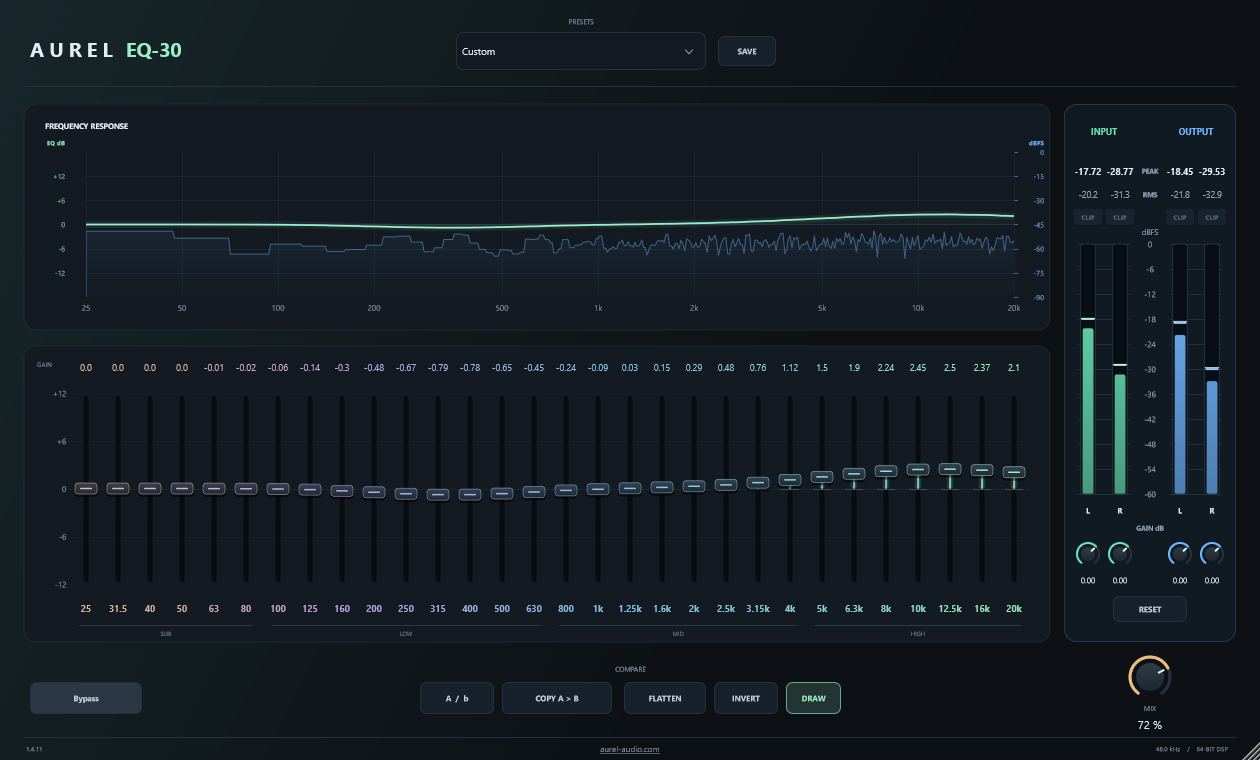
View the EQ curve and frequency spectrum from 25 Hz to 20 kHz.
Save and reload your EQ settings.
EQ settings, Draw mode and window size are saved with your DAW project.
Blend the processed signal with the original.
Choose the window size for each plugin instance.
AVAILABILITY
30-band graphic equalizer for Windows.
Sales are not open yet. Pricing, purchase terms and activation details will be published before checkout opens.
EQ-30 runs in 64-bit Windows DAWs that support VST3. macOS, AU and AAX versions are not available.
Close your DAW and copy the complete Aurel EQ-30.vst3 bundle into C:\Program Files\Common Files\VST3. Keep its internal folders together. Reopen your DAW and rescan plugins if needed.
Yes. Each instance saves its EQ settings, Draw mode and window size with your DAW project. Loading a preset keeps the current Draw setting and window size.
Version 1.5.1 is supplied under AGPL-3.0-or-later with corresponding source and dependency notices. This version does not enforce activation keys or device limits. Purchase and activation terms for the store have not been finalized.